Awesomekills Graphics
⬇ Download on Nexus ModsPreview
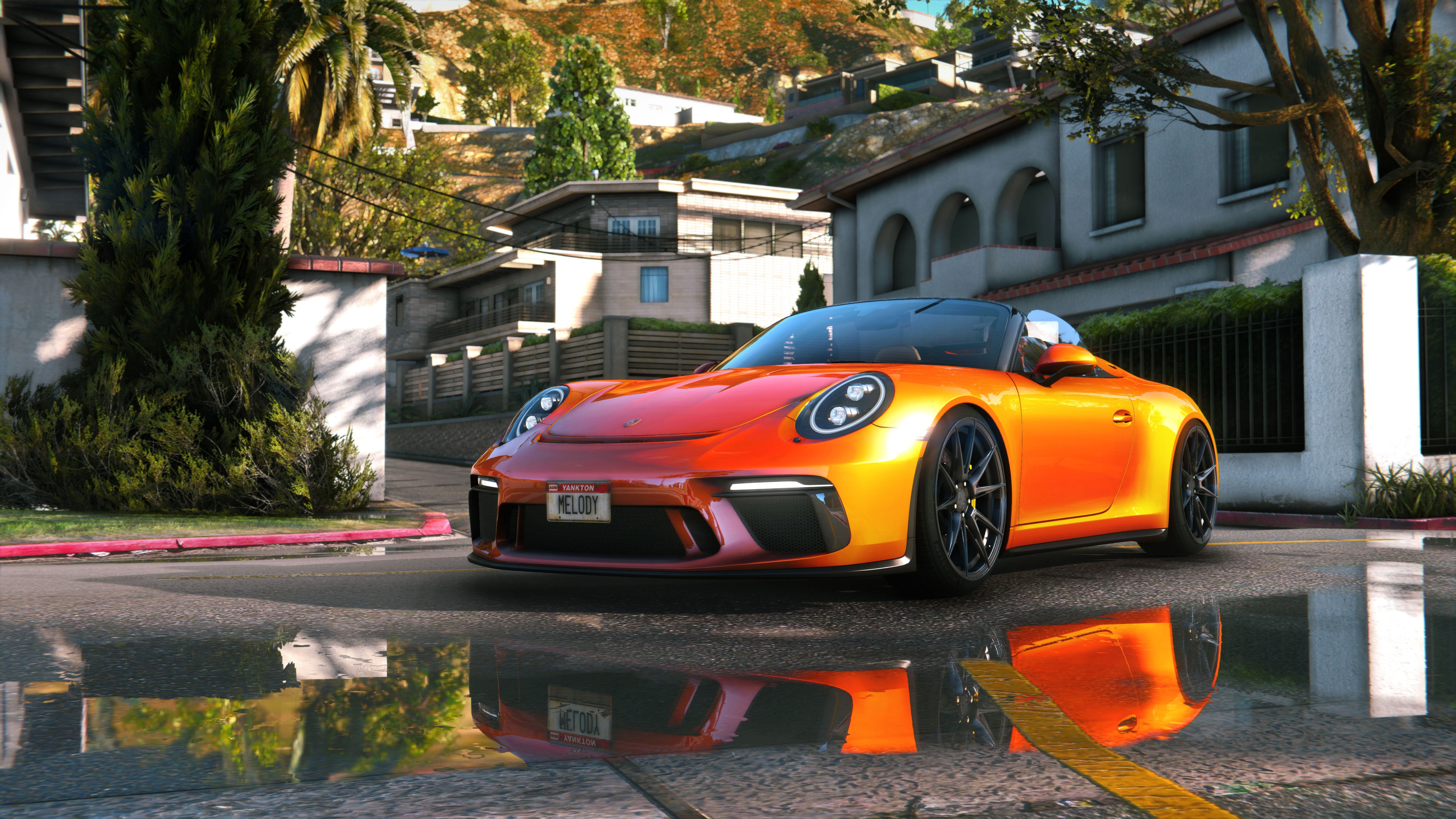
About This Mod
Description Comments (1419) This is combined graphic mod which includes end, reshade, timecycle modifyed and some other file changes. Install: 1. Using OpenlV install VisualV. 2. Using OpenlV install Awesomekills graphics.oiv package 3. Install Reshade 4. Delete "reshade-shaders" folder from your GTAV folder 5. Copy all files from "5 step folder" to your GTAV folder with replace. 6. Change path in "ReShade.ini" file from "6 step" folder (helping picture with instructions included), save it and copy to your GTAV folder If you have troubles with install check video tutorial: Included reshade presets list: Awesomekills NORT Gameplay - preset for gameplay &screenshots Awesomekills NORT Screens SmallDOF - preset for screenshots with small DOF Awesomekills NORT Screens BigDOF - preset for screenshots with big DOF Uninstall: Delete mods folder, dxgi.dll and d3d11.dll Update December 2023 changelog: - Cars reflections - Colour balance, gamma - Bloom - Sky, clouds - Performance optimization If You have trouble with dark picture disable scale mod in video settings. Also i release RT version of this mod . You can check it here:
Mod Details
- Game
- GTA V
- Author
- Awesomekills
- Version
- 0
- Downloads
- 562,900
- Endorsements
- 0
- Category
- misc
- Last Updated
- N/A
How to Install GTA V Mods
Script Hook V + OpenIV/CodeWalker. Never mod GTA Online.
Visit the Nexus Mods page for specific installation instructions for this mod.
⭐ Rate & Review
FAQ
Is Awesomekills Graphics safe to download?
Linked from Nexus Mods which scans all files for viruses. Always download from the official source.
Does this mod work with the latest game update?
Last updated recently. Check the official download page for version compatibility.
Where can I learn more about GTA V modding?
Check our complete GTA V modding tools guide for step-by-step setup instructions.