K-putt's SweetFX Config (ReShade)
⬇ Download on Nexus ModsPreview
About This Mod
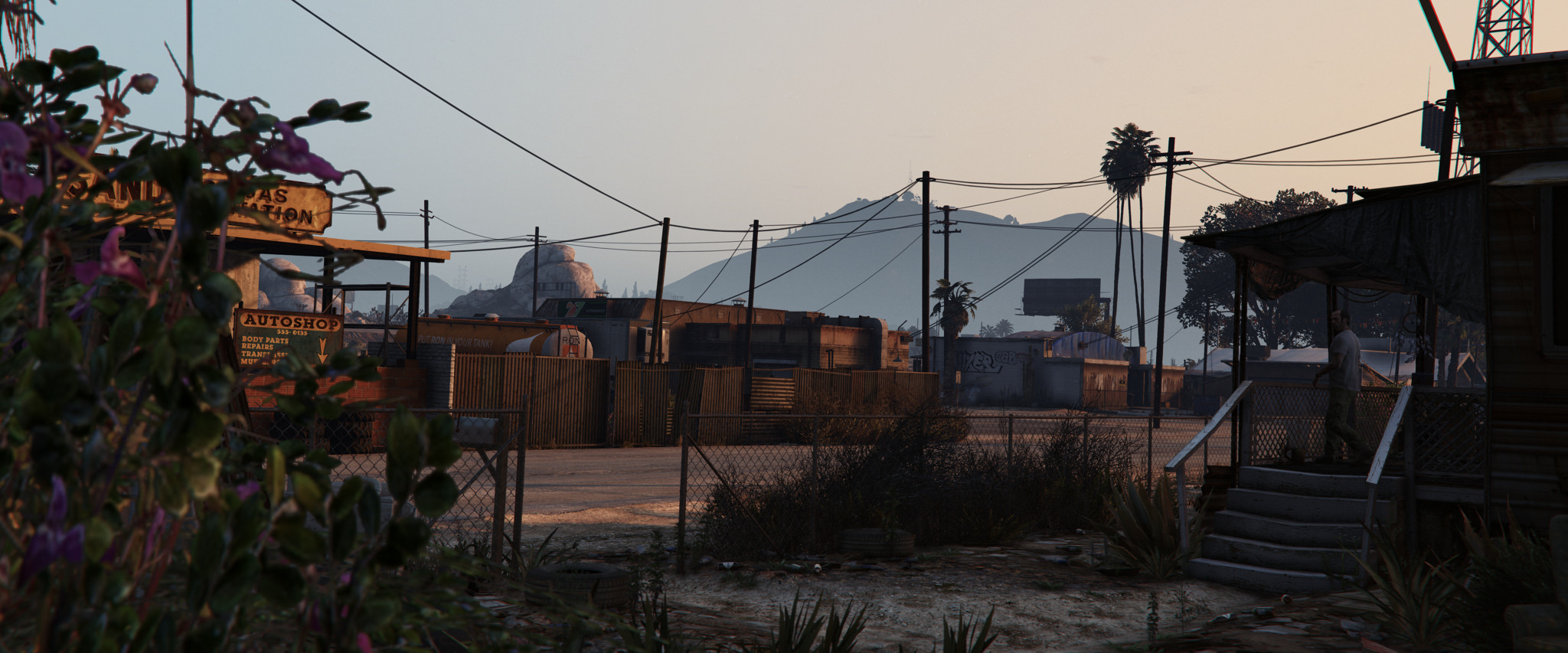
This small mod improves color and contrast of the game. Compatible with the all PC versions of GTA V. Installation Instructions Copy the files in the root directory of GTA V. To toggle the effect press "Scroll Lock" on your keyboard. You can use SMAA or FXAA. To enable FXAA, open the SweetFX_settings.txt and set #define USE_FXAA to 1 and #define USE_SMAA to 0 (Image might get a bit too blurry with FXAA enabled) You can fix this with a #define sharp_strength value of ~ 1.1 Disable the ingame FXAA Update 1.2 • ReShade version is now 0.18.4 • This version fixed the laggy start menu • No changes to the preset itself however
Mod Details
- Game
- GTA V
- Author
- K-putt
- Version
- .
- Downloads
- 74,671
- Endorsements
- 0
- Category
- misc
- Last Updated
- N/A
How to Install GTA V Mods
Script Hook V + OpenIV/CodeWalker. Never mod GTA Online.
Visit the Nexus Mods page for specific installation instructions for this mod.
⭐ Rate & Review
FAQ
Is K-putt's SweetFX Config (ReShade) safe to download?
Linked from Nexus Mods which scans all files for viruses. Always download from the official source.
Does this mod work with the latest game update?
Last updated recently. Check the official download page for version compatibility.
Where can I learn more about GTA V modding?
Check our complete GTA V modding tools guide for step-by-step setup instructions.