Support for InfamousSabre's Pickups
⬇ Download on Nexus ModsPreview
About This Mod
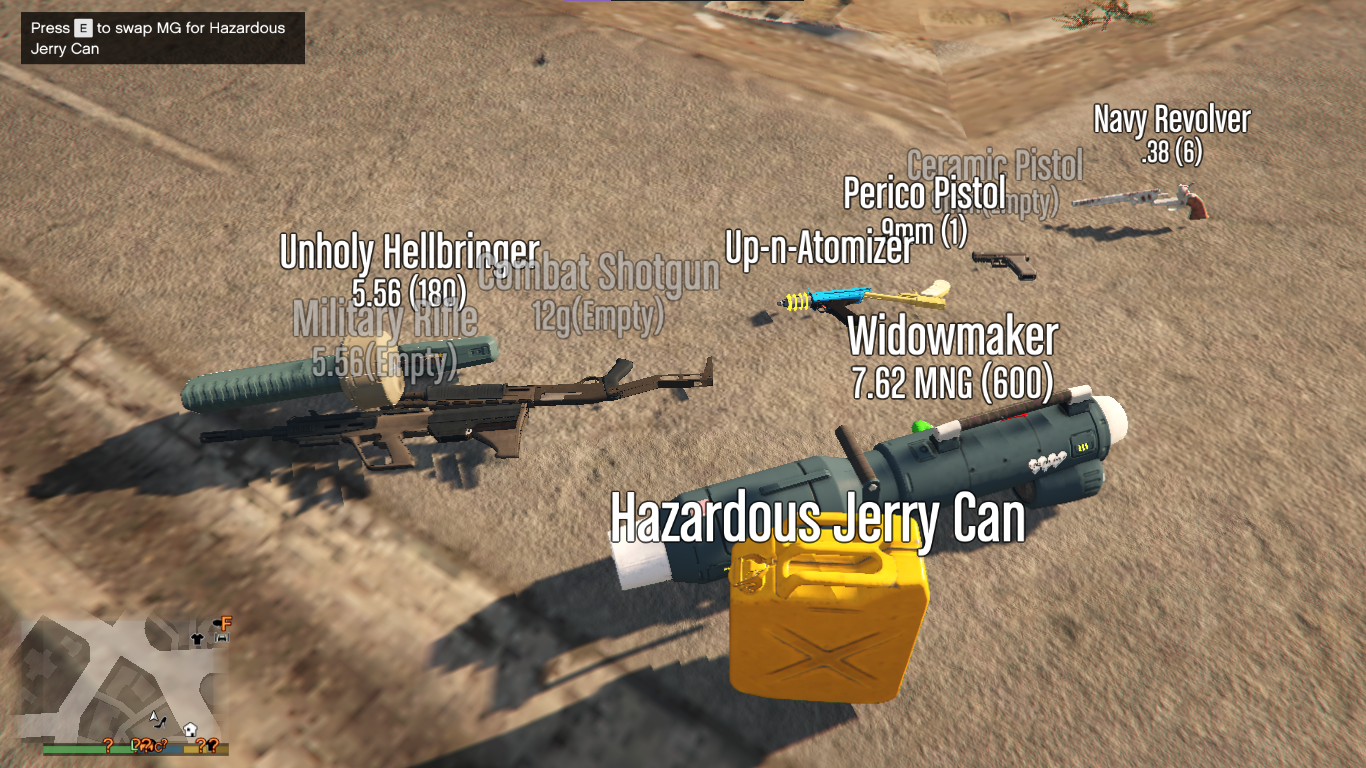
Support for InfamousSabre's Pickups 1.70.3 1.70.3 (current) 4,653 downloads , January 31, 2025 This file is safe " data-content=" This file has been scanned for viruses and is safe to download. " class="fa fa-shield vt-version"> More mods by votrinhan88 : Developers 5.0 853 11 Weapons Meta Merger 1.2 By votrinhan88 Vehicles .Net 5.0 1,032 23 Pay n' Spray LCPP 1.3 By votrinhan88 Support Config Lcpp 5.0 1,153 21 Gang And Turf Mod TurfZoneData.xml for LCPP 1.70.1 By votrinhan88 Gameplay Vehicles Player .Net 4.82 5,051 71 Passenger v1.2 By votrinhan88 Graphics Environment Config 2,049 10 VisualV Darker Nights 1.70.1 By votrinhan88 44,056 Downloads 161 Likes 4.42 / 5 stars (31 votes) support-pickups Support for InfamousSabre's Pickups GTA V Mod - v1.70.3 GitHub Features Remember InfamousSabre's Pickups mod? Unfortunately his mod does not support the latest DLC weapons so I tried continuing his work. + Updating 26 DLC weapons and their bullet speeds up to GTA V 1.70 . + Customized number of slots: 8 slots and 4 slots + Simplified installation and uninstallation. Installation 1. REQUIRED: Pickups 2.2 by InfamousSabre. I only update the new weapons, which WILL NOT WORK WITHOUT HIS MOD (AND BREAK YOUR GAME). 2. Backup your two files: `GTA V/mods/update/update.rpf/common/data/ai/weapons.meta` and `GTA V/mods/update/update.rpf/common/data/pickups.meta` 3. Download Pickups 2.2 by InfamousSabre. DO NOT INSTALL THROUGH OPENIV BUT EXTRACT AS ARCHIVE. 4. Move the folder `Pickups` and the files `Pickups.asi`, `Pickups.ini` to GTA V folder 5. DO NOT INSTALL ANYTHING ELSE FROM PICKUPS. Now we move on to my update. 6. Extract my Support for InfamousSabre's Pickups mod 7. Move the folder `./composed/mod/Pickups` to `GTA V/Pickups` 8. Move everything inside `./weapon-merger/composed/merged/update/update.rpf/dlc_patch` to `GTA V/mods/update/update.rpf/dlc_patch` 9. (Optional) Patch for LCPP: Move `./composed/patch-lcpp/update/update.rpf/dlc_patch/mpheist4/content.xml` to `GTA V/mods/update/update.rpf/dlc_patch/mpheist4` 10. Move everything inside `./composed/mod/update/update.rpf` to `GTA V/mods/update/update.rpf` 11. Optional 4 slots: move the files `pickups.xml` and `slots.xml` from `./composed/optional-4-slots` to `GTA V/Pickups`. Uninstallation 1. Delete `Pickups/`, `Pickups.asi`, `Pickups.ini` 2. Extract `./weapon-merger/weapons-pickups-meta-uninstall-1.70.7z` to current folder (same level as this file). 3. Open the `./weapon-merger/composed/uninstall-content-dlcpatch.yaml` - This is the instruction to handle `content.xml` in each `dlc_patch` 4. Copy everything in `./uninstall/update/update.rpf` to `GTA V/mods/update/update.rpf` ____+ These should have reverted the DLCs under `to-patch` in `./composed/uninstall-content-dlcpatch.yaml` 5. For the remaining DLCs, i.e. under `to-delete` in `./weapon-merger/composed/uninstall-content-dlcpatch.yaml`, you can safely delete the `content.xml` file manually. ____+ Originally these files do not exist in the vanilla v
Mod Details
- Game
- GTA V
- Author
- votrinhan88
- Version
- 1.2
- Downloads
- 44,056
- Endorsements
- 0
- Category
- misc
- Last Updated
- N/A
How to Install GTA V Mods
Script Hook V + OpenIV/CodeWalker. Never mod GTA Online.
Visit the Nexus Mods page for specific installation instructions for this mod.
⭐ Rate & Review
FAQ
Is Support for InfamousSabre's Pickups safe to download?
Linked from Nexus Mods which scans all files for viruses. Always download from the official source.
Does this mod work with the latest game update?
Last updated recently. Check the official download page for version compatibility.
Where can I learn more about GTA V modding?
Check our complete GTA V modding tools guide for step-by-step setup instructions.